Nexus · Paper trading and trade review
Know your own numbers before you risk real money
Practice options trades against live quotes in your own $100,000 paper wallet. Every trade becomes a card that shows how it really played out, and how your record compares with other traders.
The problem
Most traders don't know how they actually trade.
- You remember the winners, but not what your last twenty trades did.
- You close a trade and the contract keeps running. You never find out how much you left behind.
- You want to try a new idea without putting your real account on the line.
With Nexus
A practice wallet that keeps score for you.
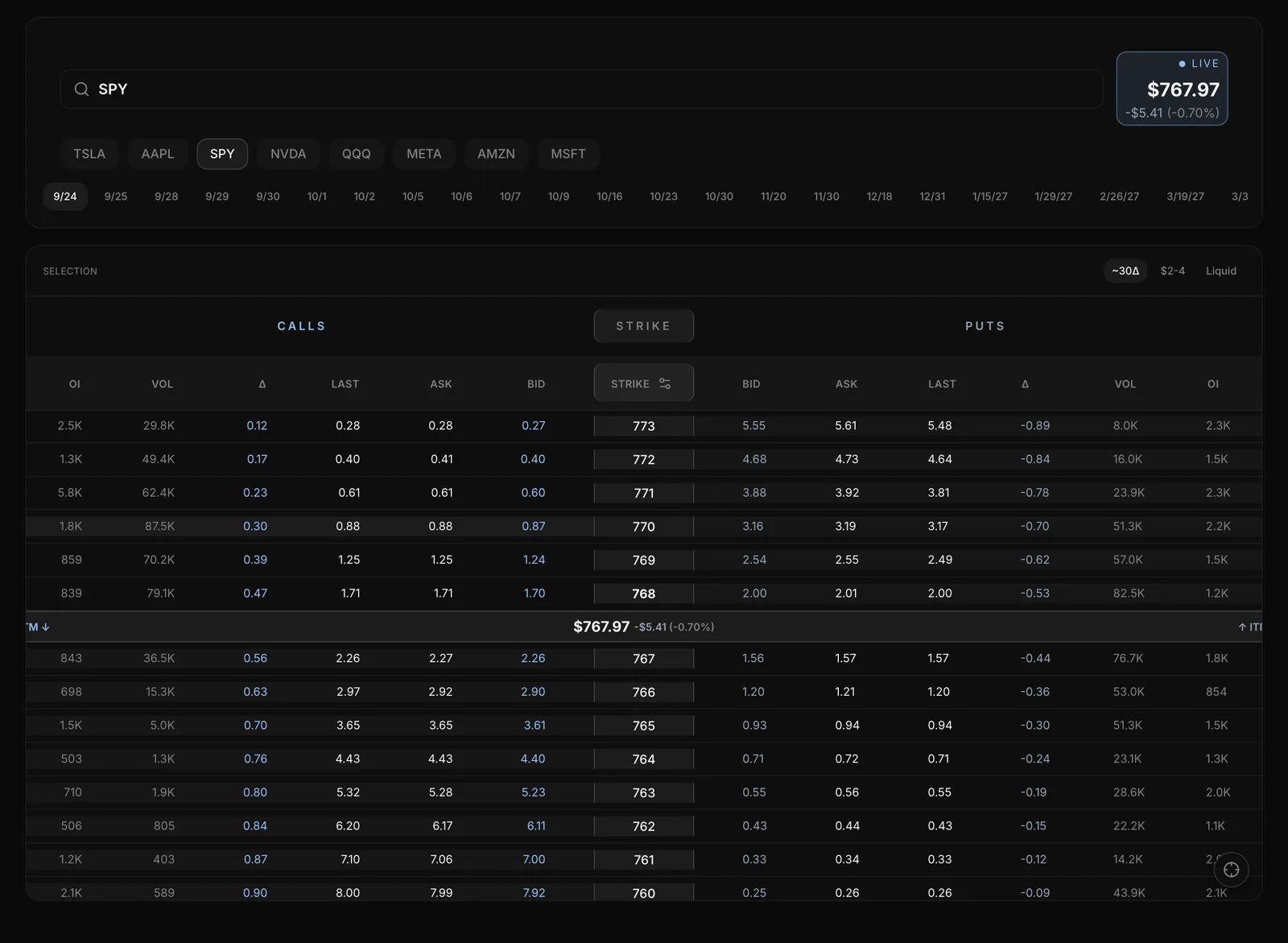
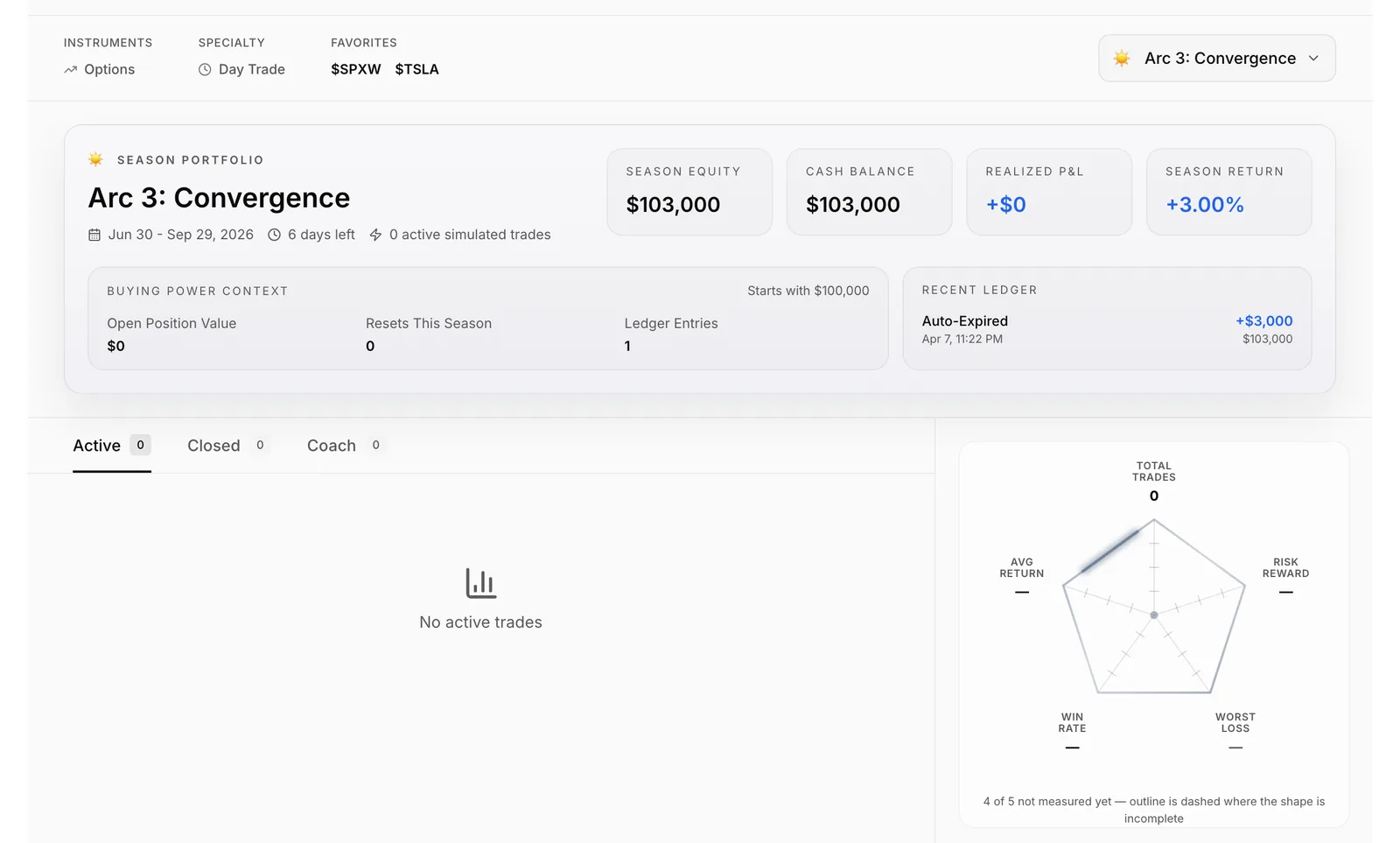
Nexus gives you one paper wallet that starts at $100,000 and stays yours from season to season. You pick contracts from a live options chain, fills happen at the bid and ask like a real market order, and every add, trim and exit lands on a trade card. Your profile and the leaderboard then show your record next to everyone else's, without risking real money.
How it works
Nexus, step by step
Place a paper trade
Open New Trade, pick an expiration and a contract from the live options chain, and set the quantity. Before you confirm, the order panel shows what the trade does to your cash.
Manage it like a real position
Open the trade card to add, trim or close. Adds fill at the ask; trims and closes fill at the bid. Contracts still open at expiration close by themselves.
Review how it played out
Each card keeps a timeline of every fill, plus the best point the trade reached, the worst, and how much further the contract ran after you closed.
See where your record stands
My Profile sums up your wallet and closed trades. The Leaderboard ranks traders by season, month, week or all time, and your rank tier appears after 10 closed trades.
01 / 04Place a paper trade
Brokerage integrations
Capabilities
What you can do with Nexus
Practice on a live options chain
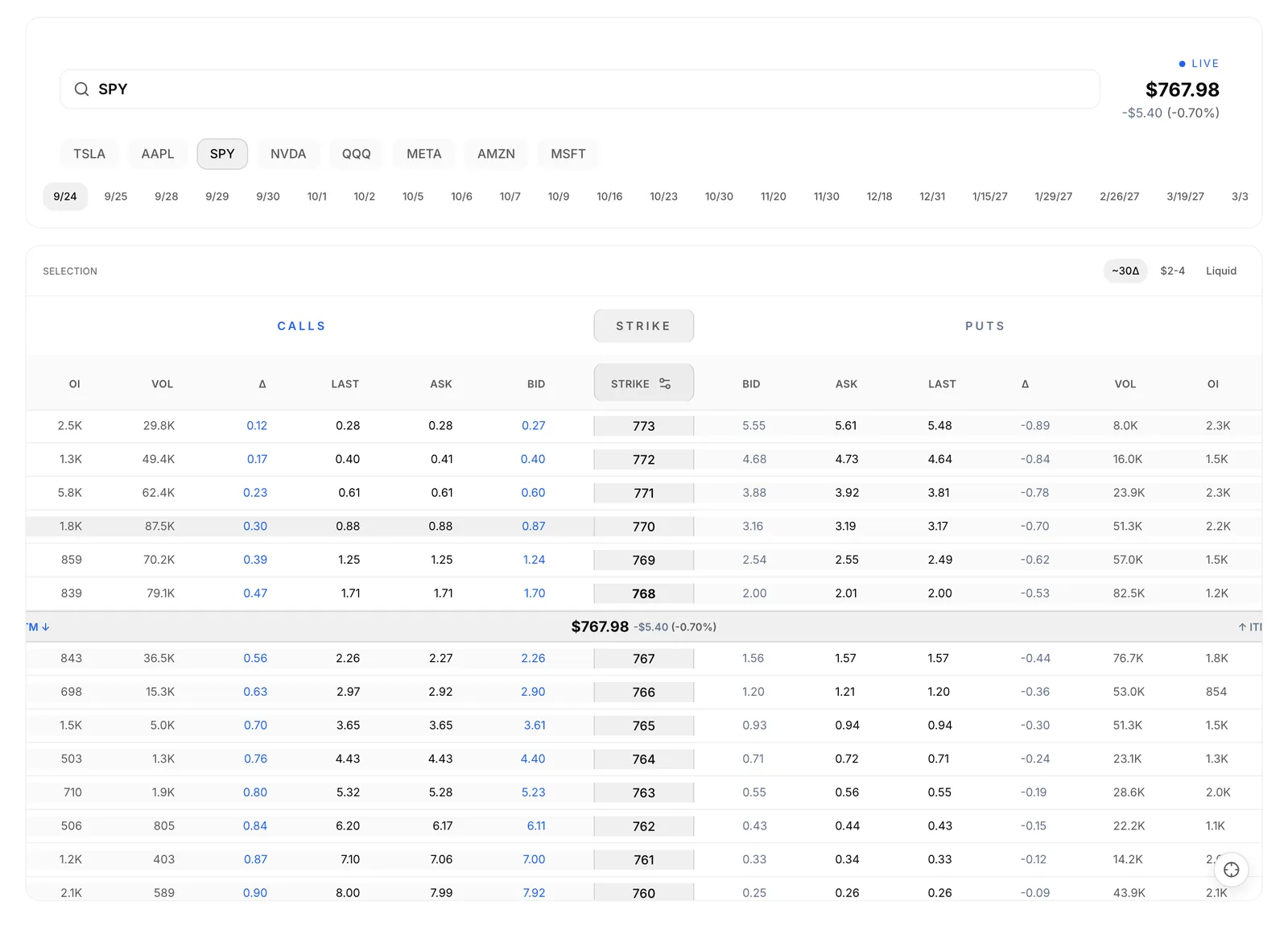
Calls, strikes and puts side by side, with the columns you choose (bid, ask, greeks, IV, volume, open interest). A contract preference of ~30 delta, $2-4 or Liquid picks a starting contract for you.
See the gain you left behind
Closed trades show Apex Return, Missed Upside and Apex Giveback, so you can review your exits as well as your entries.
Keep one permanent wallet
Your $100,000 practice wallet is yours for good. Seasons reset the leaderboard, never your balance.
Get a review of your habits
The Coach tab on your profile looks over your closed trades and points out patterns, such as how long you hold and which expirations you favour.
Follow traders and post ideas
Follow traders to see their trades and ideas in your feed. Post a bullish or bearish idea on a ticker, and Nexus tracks the price from the moment you post it.
Post to your Discord
Routing rules send your trades and ideas to the Discord channels you choose, with no copy and paste.
Every feature
Everything in Nexus
37 features · 5 groups
Paper wallet
Practice with your own $100,000 wallet that stays yours for good, because seasons reset the leaderboard and never your balance. Find it on Nexus > My Profile.
Guide: Paper wallet (opens docs.skylit.ai in a new tab)New Trade
Try a trade idea against live quotes before you commit anything. Open Nexus > New Trade, or New Trade at the top of Trades.
Guide: New Trade (opens docs.skylit.ai in a new tab)Live options chain
See calls, strikes and puts side by side, centred on the current price, and tap any strike to pick it. It is the main panel of New Trade.
Guide: Live options chain (opens docs.skylit.ai in a new tab)Contract preference
Get a starting contract picked for you, by ~30 delta, a $2-4 ask or the most liquid, so you spend less time scanning strikes. Choose it in New Trade.
Guide: Contract preference (opens docs.skylit.ai in a new tab)Column picker and Strike Order
Show only the chain columns you read (bid, ask, greeks, IV, volume, open interest) and flip strikes High to Low or Low to High. Open the column picker on the chain.
Guide: Column picker and Strike Order (opens docs.skylit.ai in a new tab)Quote status
Know whether the price you see is Live, a Snapshot, Closed or Waiting, and quotes reconnect by themselves if the stream drops. Look next to the price at the top of New Trade.
Guide: Quote status (opens docs.skylit.ai in a new tab)Simulated Buying Power
See Available Cash and After This Order before you confirm, so you know what the trade does to your wallet. It is the cash panel next to the order in New Trade.
Guide: Simulated Buying Power (opens docs.skylit.ai in a new tab)Market-order fills
Practice with realistic prices: adds fill at the ask and trims and closes at the bid, and the ticket tells you why if a trade can't go through. This applies to every Nexus order.
Guide: Market-order fills (opens docs.skylit.ai in a new tab)Futures chart to ETF options
Coming from an NQ or ES chart opens the matching index ETF, because futures have no options chain here. It happens when you open New Trade.
Guide: Futures chart to ETF options (opens docs.skylit.ai in a new tab)Trade notes and Log as Simulated on phone
On a phone, write your thesis in Notes so it stays with the trade, then place it with Log as Simulated. Both are on the phone layout of New Trade.
Guide: Trade notes and Log as Simulated on phone (opens docs.skylit.ai in a new tab)
Add, Trim and Close
Manage a paper position the way you would a real one. Open the card from Trades > My Trades > Active.
Guide: Add, Trim and Close (opens docs.skylit.ai in a new tab)Trade card timeline
See every fill (Opened Position, Averaged Down, Partial Exit and the exit) with its price and time. Open any card in Trades.
Guide: Trade card timeline (opens docs.skylit.ai in a new tab)Excursion figures
Apex Return, Missed Upside and Apex Giveback show the best point a trade reached and what you left behind, so you can review your exits. They are on each trade card.
Guide: Excursion figures (opens docs.skylit.ai in a new tab)Auto-Expired
Contracts still open at expiration close by themselves, so nothing is left hanging. Set Trades to All Statuses to see them.
Guide: Auto-Expired (opens docs.skylit.ai in a new tab)Trade feeds
Switch between All, Following, My Trades and Bookmarked to study other traders or your own record. They are the tabs across Trades.
Guide: Trade feeds (opens docs.skylit.ai in a new tab)Filters and sorting
Narrow the list to Active or Closed and sort by Newest, Oldest or Biggest Move. The filters sit at the top of Trades.
Guide: Filters and sorting (opens docs.skylit.ai in a new tab)Reactions, comments and bookmarks
React to a trade, discuss it and bookmark it to come back to later. Open any trade card.
Guide: Reactions, comments and bookmarks (opens docs.skylit.ai in a new tab)
Wallet panel
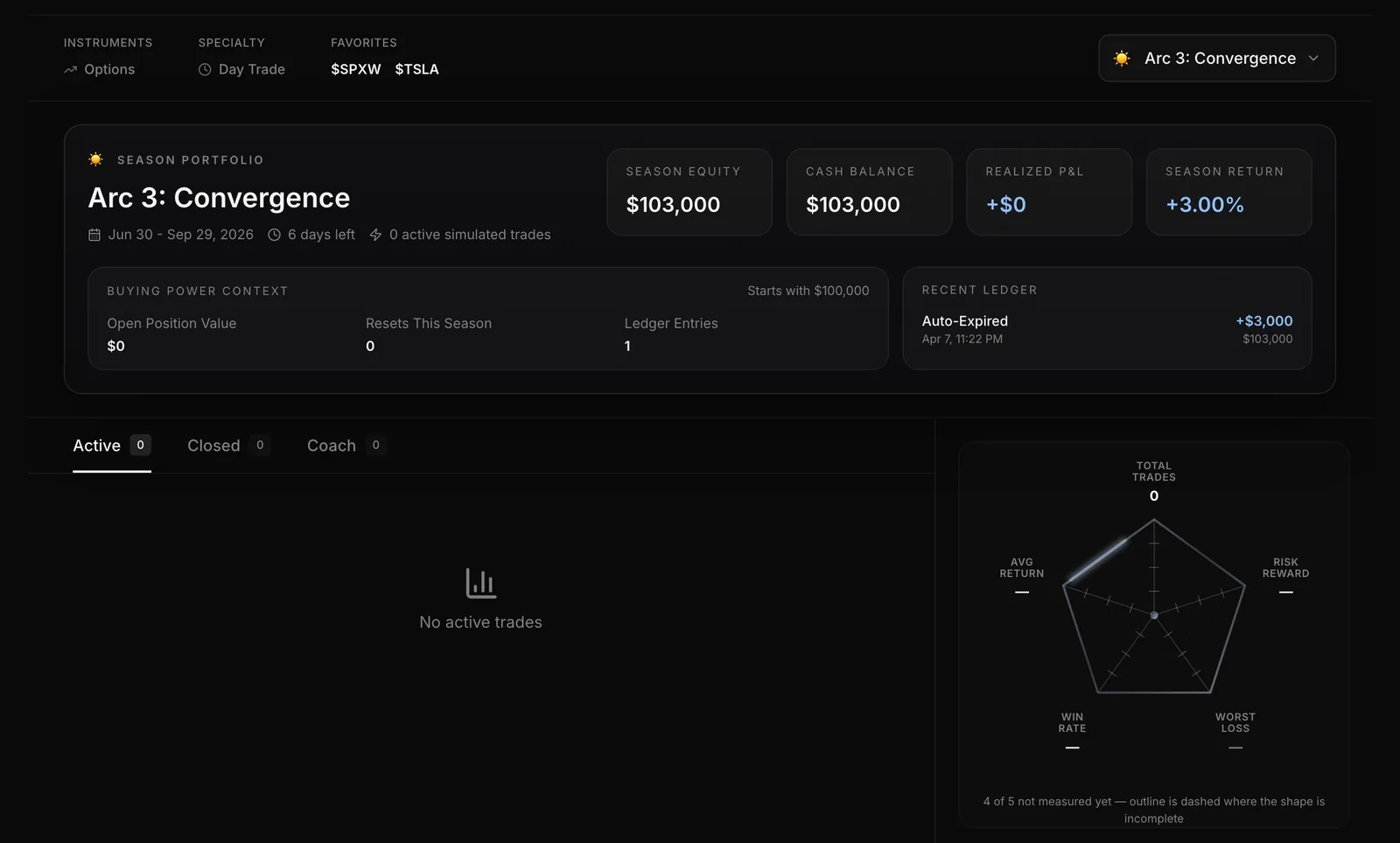
See where your practice account stands: Season Equity, Cash Balance, Season Return and the starting amount. It opens first on Nexus > My Profile.
Guide: Wallet panel (opens docs.skylit.ai in a new tab)Stats radar
Sum up your closed trades in one shape, and a dash tells you a stat is not measured yet. Find it on My Profile.
Guide: Stats radar (opens docs.skylit.ai in a new tab)Active and Closed tabs
Keep your open positions and finished trades in one place, including contracts that expired. They are the tabs on My Profile.
Guide: Active and Closed tabs (opens docs.skylit.ai in a new tab)Coach
Get a review of your habits, such as how long you hold and which expirations you favour, with insight cards you can Save. Open the Coach tab on your own profile.
Guide: Coach (opens docs.skylit.ai in a new tab)Rank tier and Cred
See your tier, from Theta up to Oracle once you have 10 closed trades, plus your Cred reputation score and streak. They sit at the top of your profile.
Guide: Rank tier and Cred (opens docs.skylit.ai in a new tab)Username
Pick a handle of 3-20 letters, digits or underscores so other traders can find and follow you. Nexus asks for one if your account has none.
Guide: Username (opens docs.skylit.ai in a new tab)Profile link
Show your record anywhere with your own profile address. Type /nexus/u/ and your handle after the Skylit address and copy it.
Guide: Profile link (opens docs.skylit.ai in a new tab)
Leaderboard
See how your record stacks up against other traders, or other Discord servers on the Guilds board. Open Nexus > Leaderboard.
Guide: Leaderboard (opens docs.skylit.ai in a new tab)Timeframes
Rank by Season, Month, Week or All-Time. Pick the timeframe at the top of the Leaderboard.
Guide: Timeframes (opens docs.skylit.ai in a new tab)Sort and Search traders
Click any column to re-rank the board, or use Search traders to find anyone by handle. Both are on the Leaderboard.
Guide: Sort and Search traders (opens docs.skylit.ai in a new tab)Follow
Follow a trader to study how they manage trades in your Following feeds. Click their row on the Leaderboard, then Follow.
Guide: Follow (opens docs.skylit.ai in a new tab)Ideas feed
Browse Latest, Trending or Following ideas, filtered by Bullish or Bearish, to see how each view has played out since it was posted. Open Nexus > Ideas.
Guide: Ideas feed (opens docs.skylit.ai in a new tab)Share Idea
Write your view down before the move, with @mentions, $cashtags, images and links, and Nexus tracks the price from the moment you post. Click Share Idea at the top of Ideas.
Guide: Share Idea (opens docs.skylit.ai in a new tab)
Primary guild
Choose the Discord server your trades go to when you post from Skylit. Set it in Nexus > Settings > Discord.
Guide: Primary guild (opens docs.skylit.ai in a new tab)Routing rules
Send each trade or idea to the right Discord channel by type, ticker, call or put and more, with no copy and paste. Add rules in Settings > Routing.
Guide: Routing rules (opens docs.skylit.ai in a new tab)Mute All Discord Routing
Stop all posting to Discord at once without deleting your rules. The switch is in Settings > Discord.
Guide: Mute All Discord Routing (opens docs.skylit.ai in a new tab)Guild roster
If you own or run a server, pick up to five members to represent it on the Guilds board for the season. Find it in Settings > Discord.
Guide: Guild roster (opens docs.skylit.ai in a new tab)Atlas Trade Deck
See your Nexus positions, the traders you follow, or both pinned to the chart where they were opened, and trade your own with one tap. Turn on Trade Deck in Atlas.
Guide: Atlas Trade Deck (opens docs.skylit.ai in a new tab)Live Stages hover card
See who you're listening to by hovering a username in a Stage to open their Nexus card.
Guide: Live Stages hover card (opens docs.skylit.ai in a new tab)Ask Talon
Ask Talon general how-do-I questions about the Nexus page you are on. It can't read your own trades or wallet yet.
Guide: Ask Talon (opens docs.skylit.ai in a new tab)
Why traders pay for it
What Nexus puts in your hands
What's uniquely in hand
Practice against live quotes with fills at the bid and ask, and a record of what really happened: every add, trim and exit, and the upside you left behind.
Time it gives back
Trade cards keep score for you, and the Coach tab points out patterns in how long you hold and which expirations you favour.
What it replaces
A trading journal kept by hand, and a separate paper-trading account.
Included with every plan, in beta.Market data licensed via NASDAQ, CBOE and OPRA.
Pairs with
Nexus with the rest of Skylit
Atlas
Turn on Trade Deck to see your Nexus positions pinned to the chart where you opened them. Show your own, the traders you follow, or both.
Heatseeker
Plan a trade around Heatseeker levels, log it in Nexus, and let your trade cards show how those trades went for you.


Clearer buttons and clickable strikes(in the guide, opens docs.skylit.ai in a new tab)
Buttons now shade when you hover, so you see what's clickable, and you can click options-chain strikes with a mouse in narrow windows.
Leaderboard says when rank tiers start(in the guide, opens docs.skylit.ai in a new tab)
The Leaderboard now shows the same 10-closed-trade bar for a rank tier that your rank uses, so you know exactly when you'll leave Unranked.
Your likes stick(in the guide, opens docs.skylit.ai in a new tab)
Something you liked now shows as liked by you, and a slow connection no longer undoes your like.
How do I get to Nexus?
Open the left sidebar in Skylit and scroll to NEXUS. It is there for every signed-in member, with Leaderboard, My Profile, Trades, Ideas, New Trade and Settings.
Is any real money involved?
No. Every Nexus trade is a paper trade in your practice wallet, which starts at $100,000. Nexus is an educational tool for reviewing your own trading.
Can Nexus connect to my broker?
Not yet. Connecting a broker isn't available, so every trade is simulated for now and the Verified badge and filter stay empty.
Does my wallet reset each season?
No. There is one wallet per member and it is permanent. A season is one calendar quarter, and it changes the leaderboard only.
Why am I Unranked on the leaderboard?
You get a rank tier after 10 closed trades. Until then you show as Unranked, even if your row is on the board.
Can I copy other traders' trades?
Nexus is not a signal service and is not meant for copying anyone's positions. Following a trader lets you study how they manage trades, and their stats from a handful of trades say little.
Find out how you really trade.
Nexus is in the sidebar for every signed-in Skylit member. Open it, place your first paper trade, and let the cards keep score.